Welcome to ACS Spring 2025!
The FAQs below are intended to be a useful resource and guide for your online learning experience.
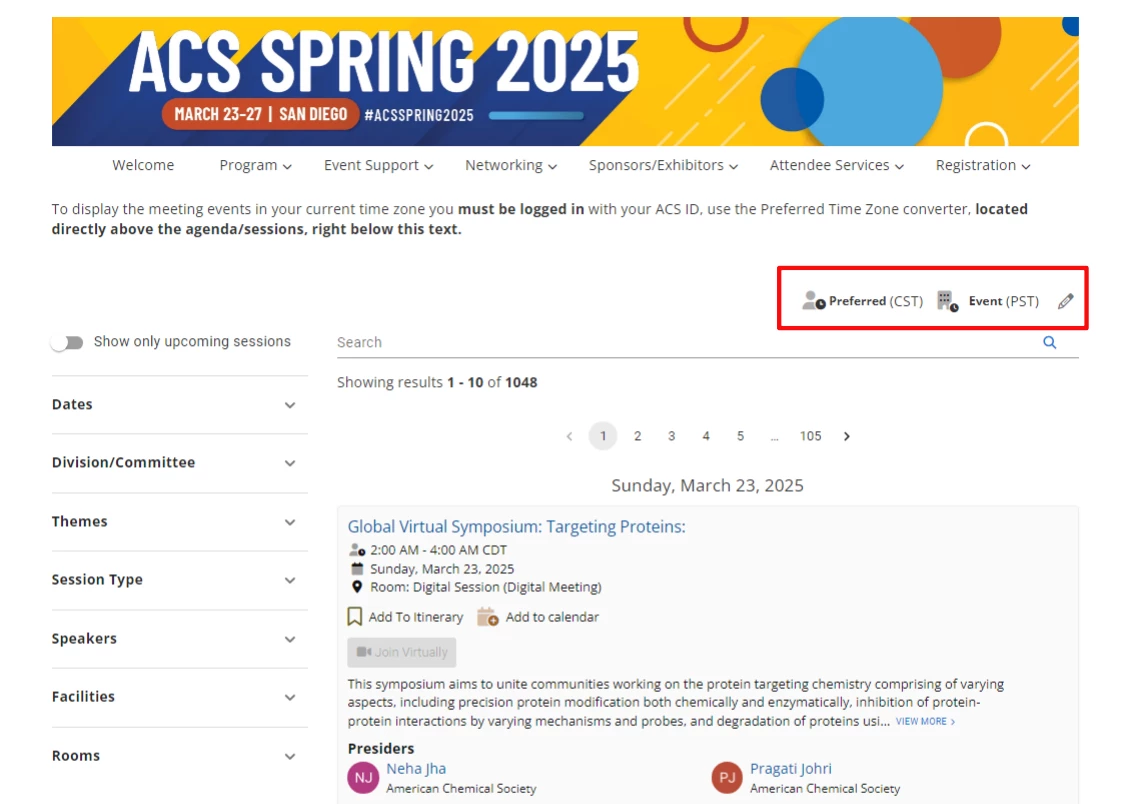
Q: What time zone is the meeting set to?
A: Pacific Time (PT)
Tip: Please set the time zone, in the Current & Upcoming Schedule tab, to Pacific Time if attending in-person.
Q: Where is the in-person portion of meeting being held?
A: Events will be held in the San Diego Convention Center unless otherwise noted in the program.
San Diego Convention Center
111 W Harbor Drive
San Diego, CA 92101
Will registration be required?
All attendees and presenters are required to register to access technical sessions and events.
What will I use to log in to the meeting website?
Registrants will use the same ACS ID with password used to register for the meeting. If you have registered and have trouble logging in to the meeting, please contact service@acs.org or call 800-333-9511 (614-447-3776) for immediate assistance.
What will be available to in-person attendees?
Hundreds of industry, student, and academic focused sessions. Networking opportunities at the various ACS-hosted in-person events, like the ACS Connect Happy Hour. Poster presentations, Sunday through Wednesday. ACS Career Fair allows you to meet with potential employers, receive personalized career advice, take a free professional headshot, and take advantage of the on-the-spot employer networking opportunities located in the ACS Spring 2025 Exhibit Hall. Connect with over 170+ exhibitors and see the latest products in the field of chemistry. Full access to ACS Spring 2025 Digital Meeting and full access to ACS Spring 2025 Digital Meeting content including Q&A sessions
Will registration be required?
All attendees and presenters are required to register to access technical sessions and events.
Will in-person sessions be broadcast online for virtual participants to view?
No, in-person sessions will not be broadcast for virtual presenters and attendees to participate via the virtual meeting platform. Only the Keynote and Plenary sessions will be broadcast out to virtual attendees.
What will I use to log in to the meeting website?
Registrants will use the same ACS ID with password used to register for the meeting. If you have registered and have trouble logging in to the meeting, please contact service@acs.org or call 800-333-9511 (614-447-3776) for immediate assistance.
How do I change my name or email address in the virtual platform?
You must change your information within your ACS ID account and then log in to the platform to refresh these fields.
What are the preferred browsers for the meeting platform?
Google Chrome, Mozilla Firefox, and Safari.
What events are available to digital attendees?
Live online sessions including full access to ACS Spring 2025 Digital Meeting global content, the Global Virtual Symposia, Graduate Student Symposia (China), professional development sessions, and more. Interactive chats with live Q&A sessions. Live streams of Opening, Plenary, and Kavli Lectures Series Sessions. Digital networking opportunities to encourage engagement.
Before you attend, we encourage you to determine which sessions are of interest and to add them to your personalized itinerary under the My Itinerary tab. Please know in order to build an itinerary you need to be registered and logged into the virtual platform.
For your convenience and ease of locating sessions or posters of interest to you, we recommend using the platform search options which will allow you to search session types via multiple filters.
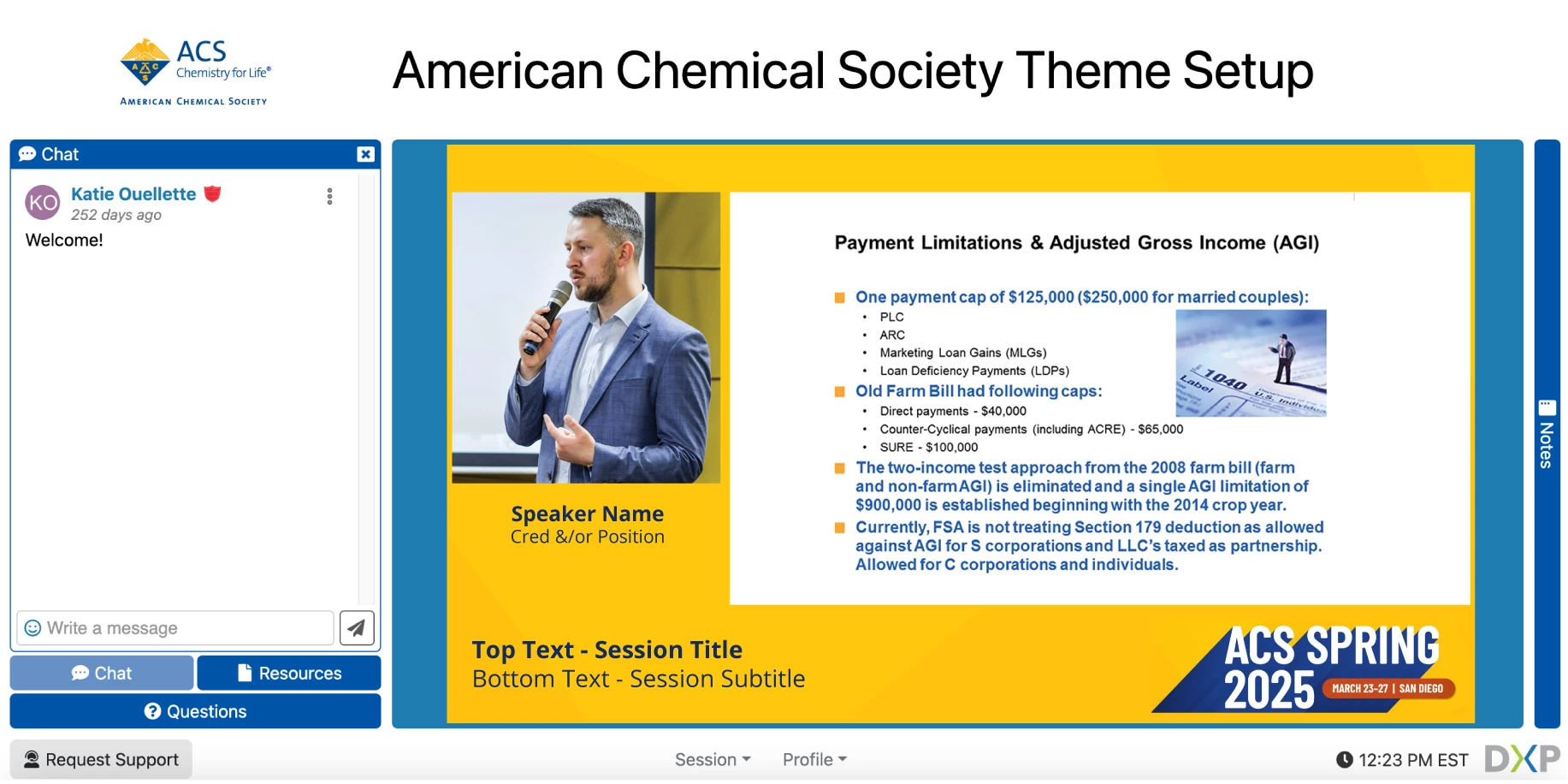
While watching or listening, you can easily switch between these custom features:
- Session Details – Review session description and speaker biographies.
- Live Chat – Interact and network with other online attendees and event moderators.
- Resources – Download presentation materials.
- Session Notes – Easily jot down key take-aways from the session you are viewing and receive them automatically via email once the session ends,
- Private Message – Send a private message to fellow online attendees.
- Request Live Help – Our staff is always there to help if you run into any issues with your online experience.
- Update your profile (optional) - Click on “profile” at the bottom to tell us and your fellow attendees about you. You are welcome to include as much or as little as you wish, including uploading a profile picture so that your peers can put a name to the face during live chats.
You will also have access to the On-Demand Keynote and Plenary sessions offered with your registration from March 26 - April 4, within the virtual platform.
Please know that the oral technical sessions will not be recorded for On-Demand.
Certificates of Attendance will be immediately available online after completing the ACS Spring 2025 Meeting Survey. A link to the certificate will be provided in your survey confirmation with further instructions. Attendees who complete an ACS Spring 2025 Meeting survey onsite will be eligible to receive a free ACS Spring 2025 t-shirt at the ACS Info Booth located in the main information booth (Lobby D). T-shirt supplies are limited. In addition, gift card drawings will be held for completed post-event meeting surveys. Your feedback is valuable!
Abstracts accepted for ACS Spring 2025 will automatically be uploaded to SciMeetings as part of the permanent meeting record.
Posters and presentations will appear after ACS Spring 2025 concludes.
For additional information, please visit the SciMeetings page.